
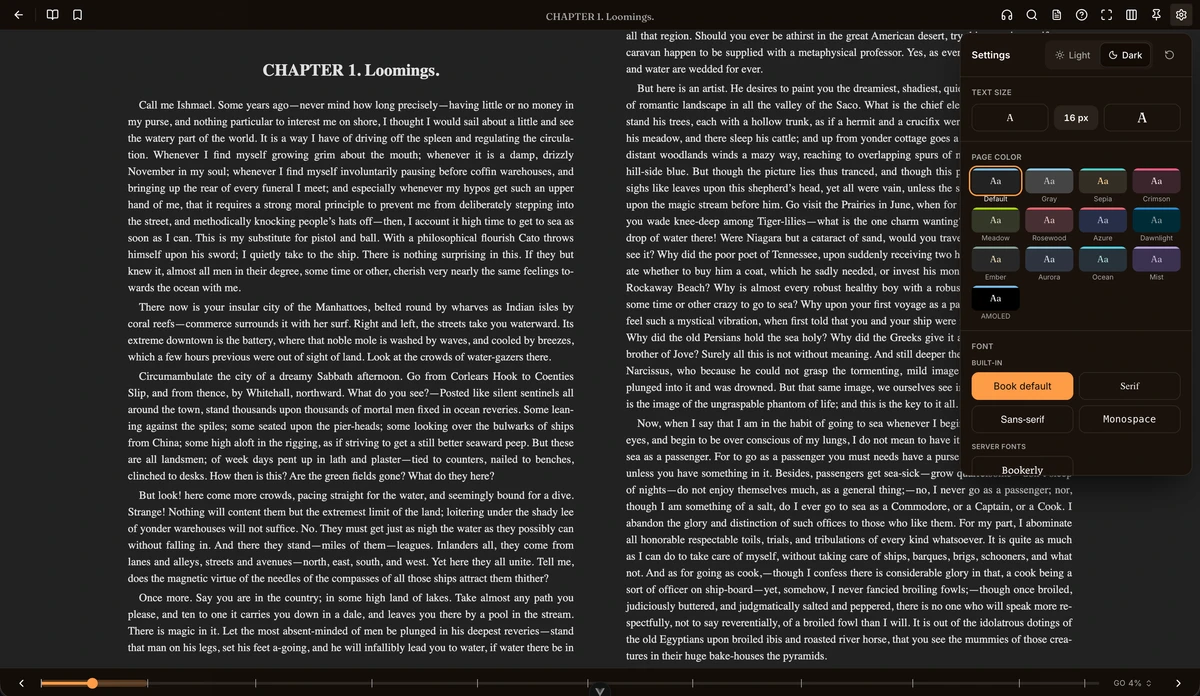
BookOrbit wants to be the whole reading stack: ebooks, PDFs, comics and audiobooks in one self-hosted library, with built-in web readers for every format and progress that follows you between them. It is AGPL-3.0, installs from one Compose file, and its latest release, v3.2.0, landed at the end of September with an iPad rebuild.
Readers, and the sync between them
The part that stands out is how the pieces are joined. Progress and annotations move both ways between Kobo devices, KOReader and BookOrbit’s own reader, so a highlight made on the couch shows up in the web reader, where all sources merge into one searchable hub that exports as Markdown, CSV or JSON. A KOReader plugin turns the device into a catalog browser with search, download and status management from inside KOReader itself.
The built-in readers cover EPUB, KEPUB, MOBI, AZW3, FB2, PDF, CBZ, CBR, CB7, and audiobooks in M4B, MP3, FLAC and more, with an official iPhone app and an Apple Watch companion for offline listening. OPDS serves apps like Thorium and Moon+ Reader, Send-to-Kindle delivers by email, and a drop folder called Book Dock imports files hands-free.
Metadata and accounts
Library care is the other half. There are 14 metadata providers, including Google Books, Open Library, Hardcover and ComicVine, with bulk editing, a two-pane match sheet for comparing candidates, and field-level rules for which source wins which field. Libraries can carry their own scan rules and format priorities, and smart collections are rule-based saved filters. Multi-user setups get isolated libraries, per-user permissions and OIDC login for Authentik, Keycloak or Authelia. Reading statistics, yearly goals and more than 50 achievements cover the tracking hobby.
The caveat that matters
BookOrbit asks for a real local disk. The project does not support NAS or network storage for anything it writes, naming SMB, CIFS, NFS, FUSE and cloud mounts, because its scans and file moves expect filesystem behavior those mounts cannot promise, and the stated failure mode is data loss. If your books live on a NAS share, this is not your server. Installation is otherwise standard: a compose file, three generated secrets, then a short wizard. A live demo with a public domain library is up if you want to look first.
My read
Three-way sync with Kobo and KOReader is the feature a home reader stack usually does not have, and the readers being built in means fewer moving parts on day one. Keep it on local disk, and this replaces the Calibre-plus-sync-scripts pile with one service. If you have been stitching your reader stack together yourself, this is worth an evening.
Source: the project’s site and the v3.2.0 release.