

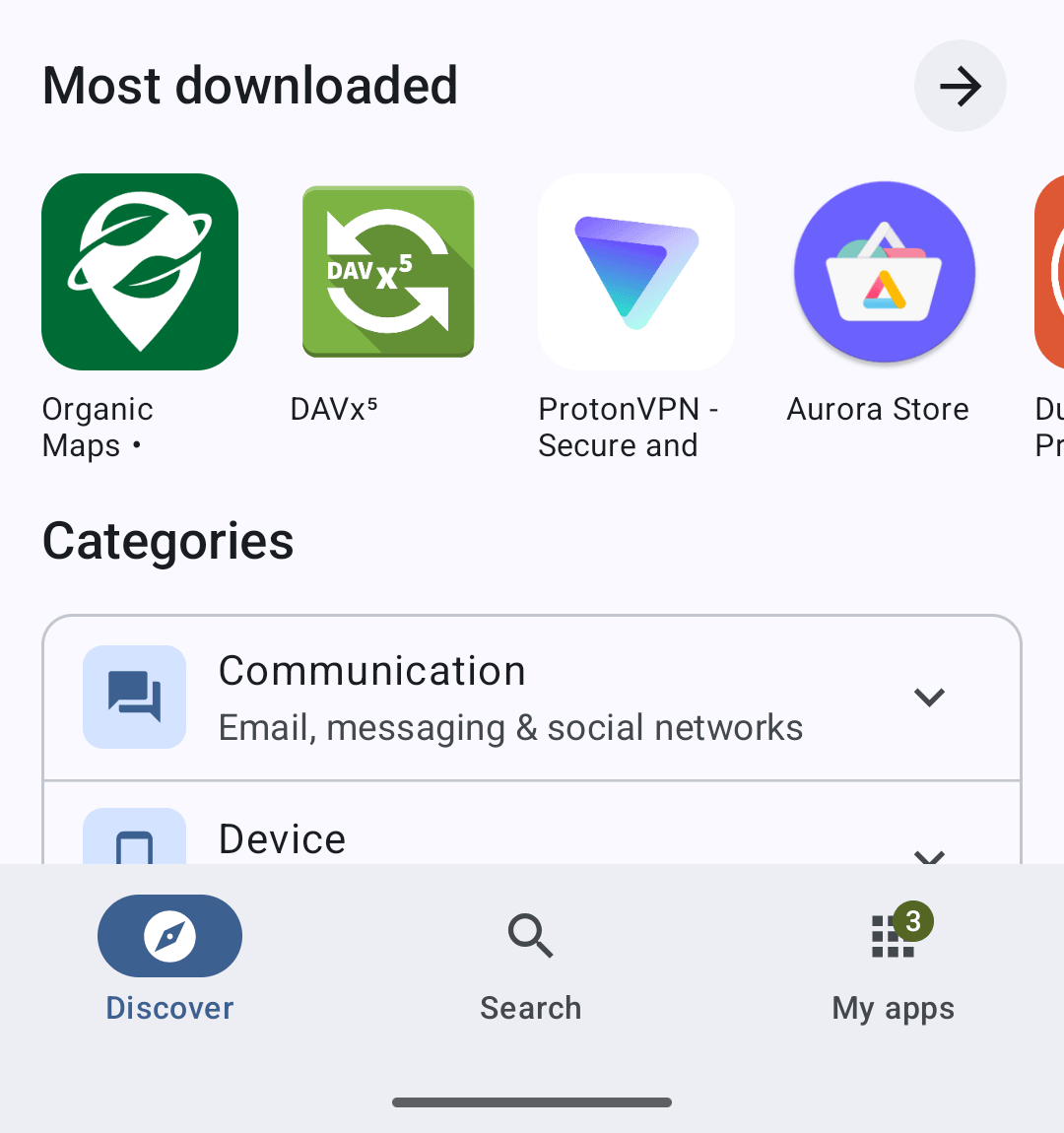
F-Droid 2.0 is rolling out, and the project calls it the biggest update to the client in a decade. It is a rewrite in Kotlin and Compose, and the three visible changes are the navigation, the Discover screen and the installer. The navigation collapses to Discover, Search and My apps; the installer uses Android’s new pre-approval API, so on supported devices you confirm once, right after deciding to install, instead of after the download has already happened. The post ties the installer work to the DMA and the anti-trust pressure that pushed Android into offering every app store a smoother install path.
The new shape
Discover is grouped into New apps, Recently updated and Most downloaded, categories moved inside it and now carry descriptions the app uses for discovery, and Games split into 17 genres. Search covers names, descriptions, categories and translations, handles CJK writing systems better, and keeps your recent queries. Filters combine: the post’s example is viewing only Action games that work on your device, excluding apps that depend on non-free services. Onboarding screens appear throughout, aimed at features that used to hide behind settings.
Installs and updates
The installer is the structural change. It gets full support for Android’s session installer, which lets F-Droid run background updates on any recent Android version without the Privileged Extension; FPE itself is not supported by 2.0, and the post says it will not be used even if installed. Updates are now fetched and installed by default, though existing preferences are still respected. Pull-to-refresh no longer triggers anything, since the background work replaced it: the gesture only scrolls now, and the manual check lives under the three-dot menu on My apps. Data usage settings were reworked alongside it.
What did not come back
One feature that did not return is panic-wiping: the ability to remove and wipe apps in response to a trigger app like Ripple. The post is direct about why. It takes specialized work to maintain for a small user base, and the project would rather not block other improvements on it. It asks people who rely on it for feedback, and tells users who need it today that they may postpone updating to 2.0 while a return is evaluated. Android 6 is no longer supported. The rewrite ran through 14 test releases and an independent security review by the Open Technology Fund’s Security Lab and Convocation, with funding from NLnet, Mobifree, the OTF and the Calyx Institute.
My read
The installer is the part that changes what F-Droid can do, and the rest changes how it feels. The session installer plus background updates closes most of the gap between F-Droid and the store it exists to replace, and the FPE trade is stated rather than buried. Telling panic-wipe users they can sit on the old version while the project decides is the kind of line most release notes never write.
Sources: the F-Droid 2.0 announcement post