

Fedora 45 is in beta, and its installer picks up a storage option: Stratis. If you have not met it, Stratis arranges existing pieces (device mapper, LUKS, XFS) into two layers. Pools sit on top of one or more disks, and filesystems are created inside a pool, one for root, one for home, as many as you want. Features like encryption and over-provisioning belong to the pool, and snapshots are the reason to care.
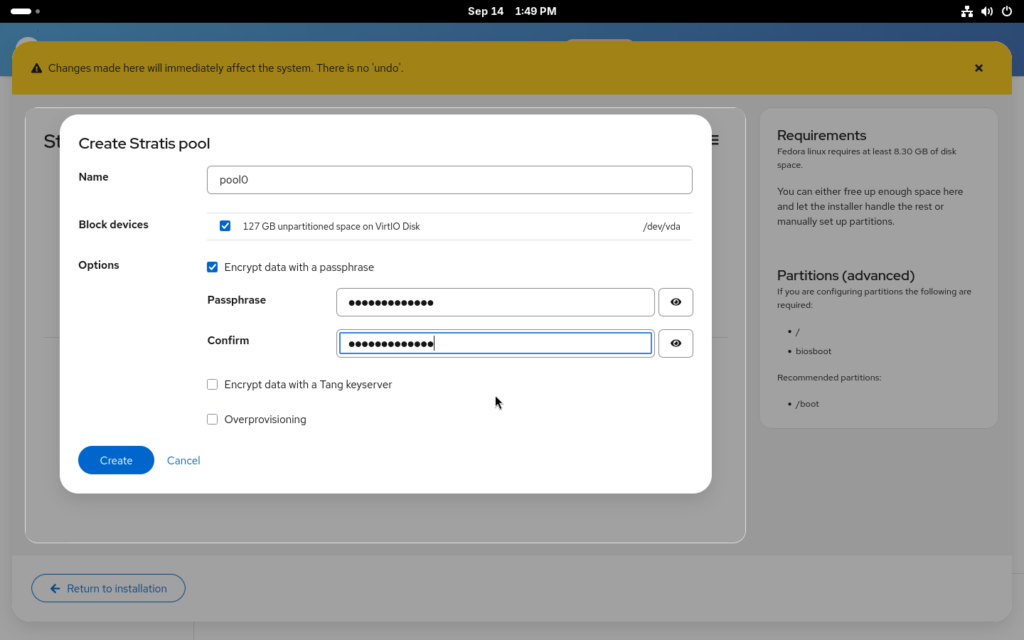
In the installer you reach it through manual partitioning: pick the “If none of the options above apply” path on the Installation Destination step, which drops you into the Cockpit storage module that Anaconda embeds. Create the boot partitions first, /boot and /boot/efi or biosboot, then create a Stratis pool on your disks, choose encryption and over-provisioning for it if you want them, and add the filesystems. After that, Anaconda offers “Use configured storage” and installs. Stratis itself is not new; what Fedora 45 adds is the installer path.
Kickstart gets two new commands
For automated installs, the existing autopart command takes --type=stratis, so an encrypted single-disk layout is one line:
autopart --type=stratis --encrypted --passphrase="passphrase"Manual layouts get two new commands, stratispool and stratisfs, used much like their LVM equivalents, part and logvol:
part stratis.01 --size=1 --grow --ondisk=vda
part stratis.02 --size=1 --grow --ondisk=vdb
stratispool fedora stratis.01 stratis.02
stratisfs / --name=root --poolname=fedora --size=5000 --grow
stratisfs /home --name=home --poolname=fedora --size=1 --grow
What is not there yet
Two limits, stated plainly in the announcement. The new web-based installer does not yet let you choose the storage technology for guided or automated partitioning, so the Stratis path only exists through manual partitioning or kickstart. And two Stratis features need enabling after the install: caching, and encryption without a passphrase, which is what the TPM and Clevis/Tang unlocks are for.
My read
Stratis trades LVM’s vocabulary for a smaller one, pools and filesystems, and buys snapshots and over-provisioning with it. If your next install is Fedora 45 and you have been putting off learning thin provisioning, this is a reasonable first look; the kickstart commands mean it is scriptable from day one, even where the GUI still is not.
Sources: Fedora Magazine’s install walkthrough by Vojtěch Trefný, and the pykickstart documentation it links