

LGM-OS installs Debian 12 on any 64-bit PC with 4 GB of RAM and puts a NAS on top of it: storage pools, shares, apps, backups, cameras and virtual machines, all run from a browser panel. It comes from one developer, Luis García: two months old, 252 versions on its site, and the €29 lifetime license is free while a launch campaign runs.
The installer is a wrapped Debian netinstall: a language, a name, a disk, then it pulls the current signed release on first boot, so an ISO burned today installs whatever is current in two years. It needs a network the first time.
What it gives you
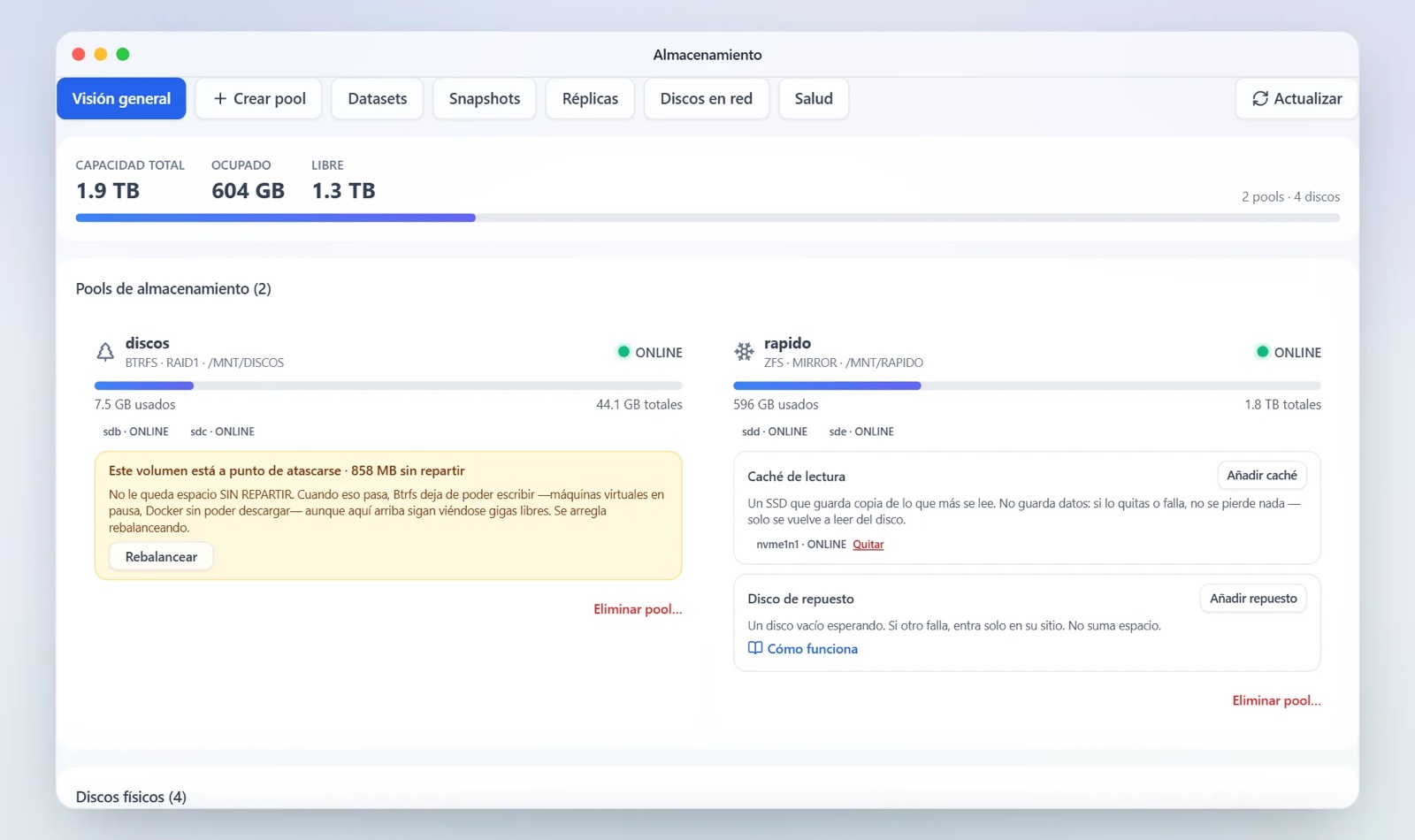
Storage starts with a wizard: disks become a Btrfs or ZFS pool with the redundancy you pick, and it shows the usable space before creating anything. Snapshots, SMART warnings and spare disks live on the same screen, shares go out over SMB and NFS, and per-user quotas need ZFS.
The app centre holds 31 curated apps (Jellyfin, Home Assistant, Vaultwarden and more) plus over 3,000 community templates, most converted from Unraid’s Community Applications, as the panel says. Virtual machines run on KVM, camera recording is local, backups run versioned to another disk, another NAS or a cloud target, and the way in from outside is a three-click WireGuard VPN.
The audit
An independent reviewer, Benjamin Weber, spent a day with LGM-OS 1.92.3 in a VM and read the source. The architecture held up: the panel runs without root, privileged actions go through a fixed command list, and updates are signed. The gaps were real too. First-run setup had no gate, so the first machine on the network could claim the admin account, and he demonstrated that live. An admin session could reach root through the update path without a second factor, and the disk-swap test failed, the case the feature exists for.
Everything went to García with file and line numbers before publication, and the fix wave started immediately: 2.0.0 dedicates itself to Weber and credits most of its changes to that report, with releases landing all week, four of them today. Weber’s verdict stands until he retests: not a place for family photos yet, and the most interesting project he has seen in selfhosting this year.
The exit, and the fine print
Under the panel is standard kit: Debian 12, Btrfs or ZFS, Samba, Docker and KVM, with no proprietary format, so the disks read on any Linux. If development stops, the stated plan is that the source goes to GitHub and the license check gets switched off. The license is €29 once, transferable, verified on the machine after one activation; before that, it wants an account link within seven days, or it drops to data-extraction mode, where apps, cameras and backups pause and nothing is deleted. The site lists what it does not do yet: 64-bit only, no Raspberry Pi, no app-store app for the panel.
My read
Two months old, one audit in, and the failures found sat at the core of being a NAS. The response was immediate, with the audit credited in the release notes, but it is the retest that rewrites the verdict. For a spare machine and a free license the risk is small. For the photos you cannot lose, wait for the retest.
Source: lgm-os.com, the project’s release notes, and ITSWEBER’s review.