

Google Photos is a good product attached to a bad deal. You get the apps, the search, the faces, the automatic backup, and in exchange the library sits somewhere you cannot open, on terms that change when the company changes its mind, at a price that has already moved once.
Immich rebuilt the parts people actually use, and it did the hard part first: the phone app. Real apps in both stores rather than a web page pretending to be one. Photos leave the phone in the background while it charges, arrive as originals rather than re-compressed copies, and land in folders on your disk with their dates in the names.
What follows is three things in order. What Immich does that earns the trouble. How you use it once it is running. And the install that keeps it that way, because a photo library you have to rebuild every year is not a library. If you are still choosing between Immich, PhotoPrism and Ente, the comparison answers that; this is for people who have picked Immich.
What it does
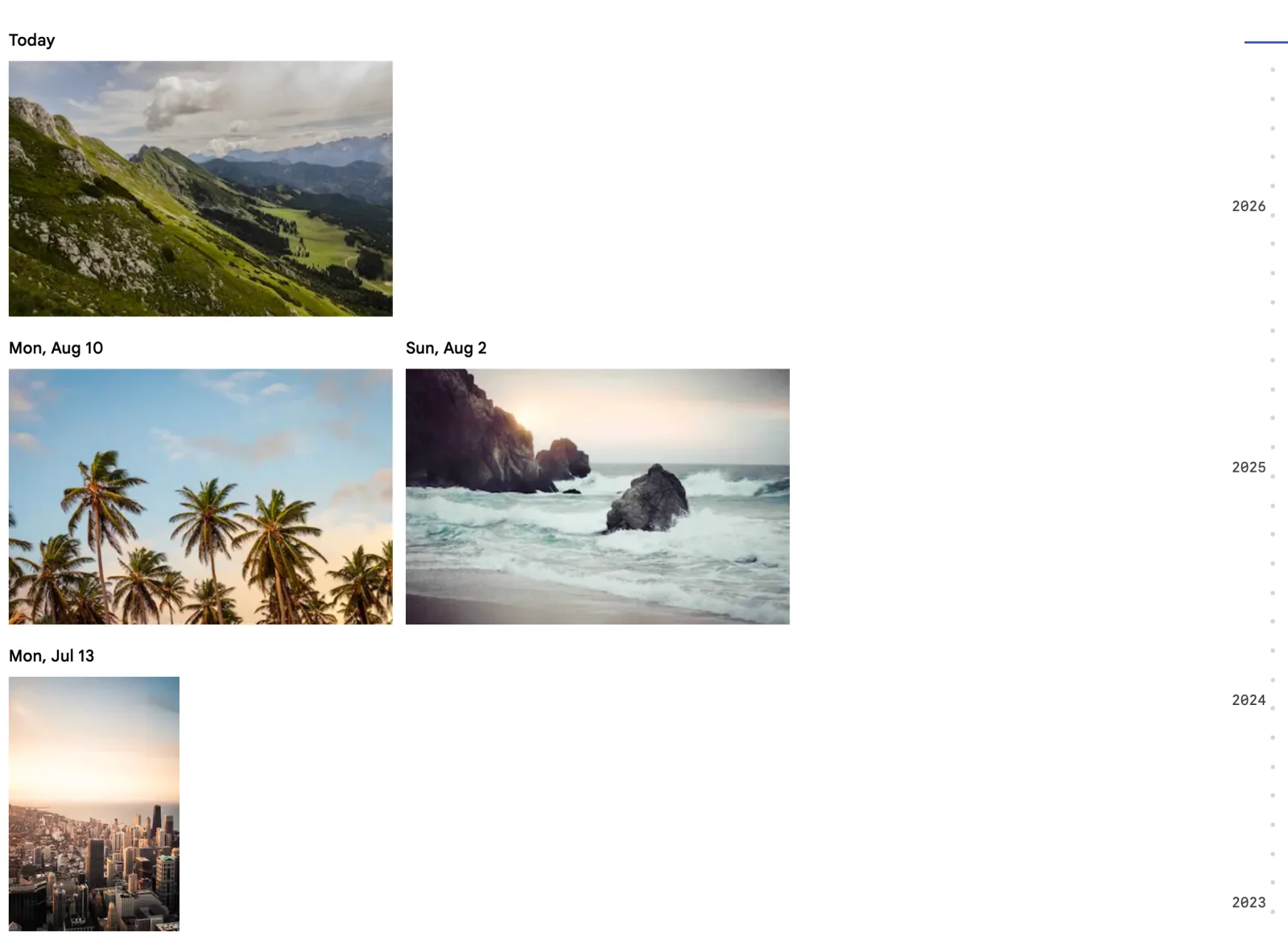
Open Immich and you get a river of photographs sorted by the date they were taken. Years down the left, days inside them, newest first. There is no folder tree to maintain and nothing to file, because the library is not a filing cabinet. It is a timeline that happens to know where every file is.
That sounds like a small thing until you have used it for a month. You never decide where a photo goes. You never wonder which year a trip was. You scroll back and it is there.
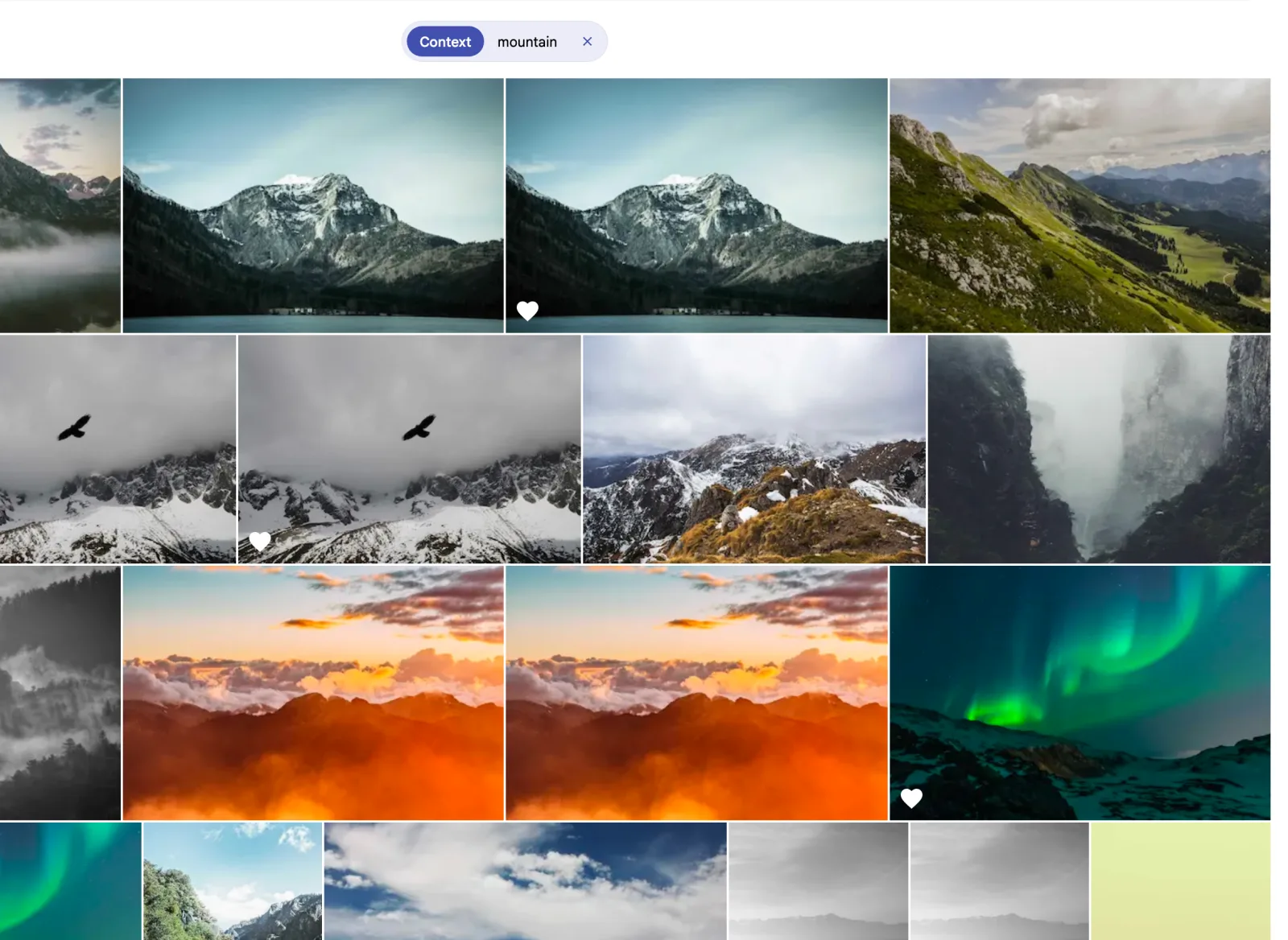
The search box is the feature that ruins other photo apps for you. It does not match filenames. Immich runs a CLIP model on your own hardware, so a query is matched against what is actually in the picture: type mountain and you get mountains, type boat and you get boats, type the colour of the kitchen wall and it will have a go. It reads text in images too, through OCR during indexing, which is how you find a screenshot of a receipt from March without remembering the filename of anything.
The precise searches matter more day to day. A person’s face, a place name, a date range, the camera, a star rating, an album, whether a photo is archived. Those filters stack, so “Ana, Lisbon, 2023, favourites” is one query rather than a folder hunt.
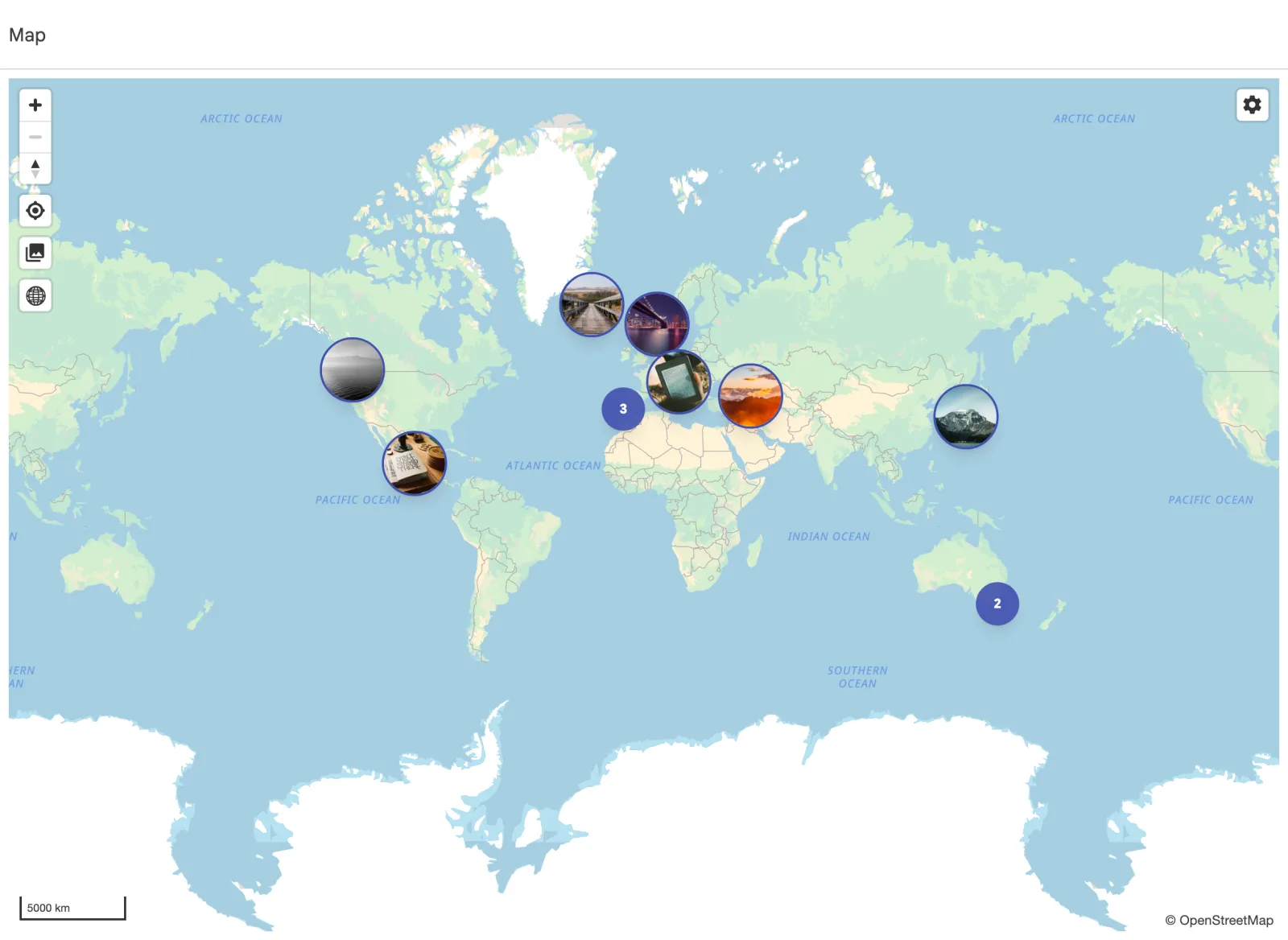
Any photo with GPS coordinates is plotted on a map. A decade of trips turns into a shape you can zoom into, and the place names come from reverse geocoding during import.
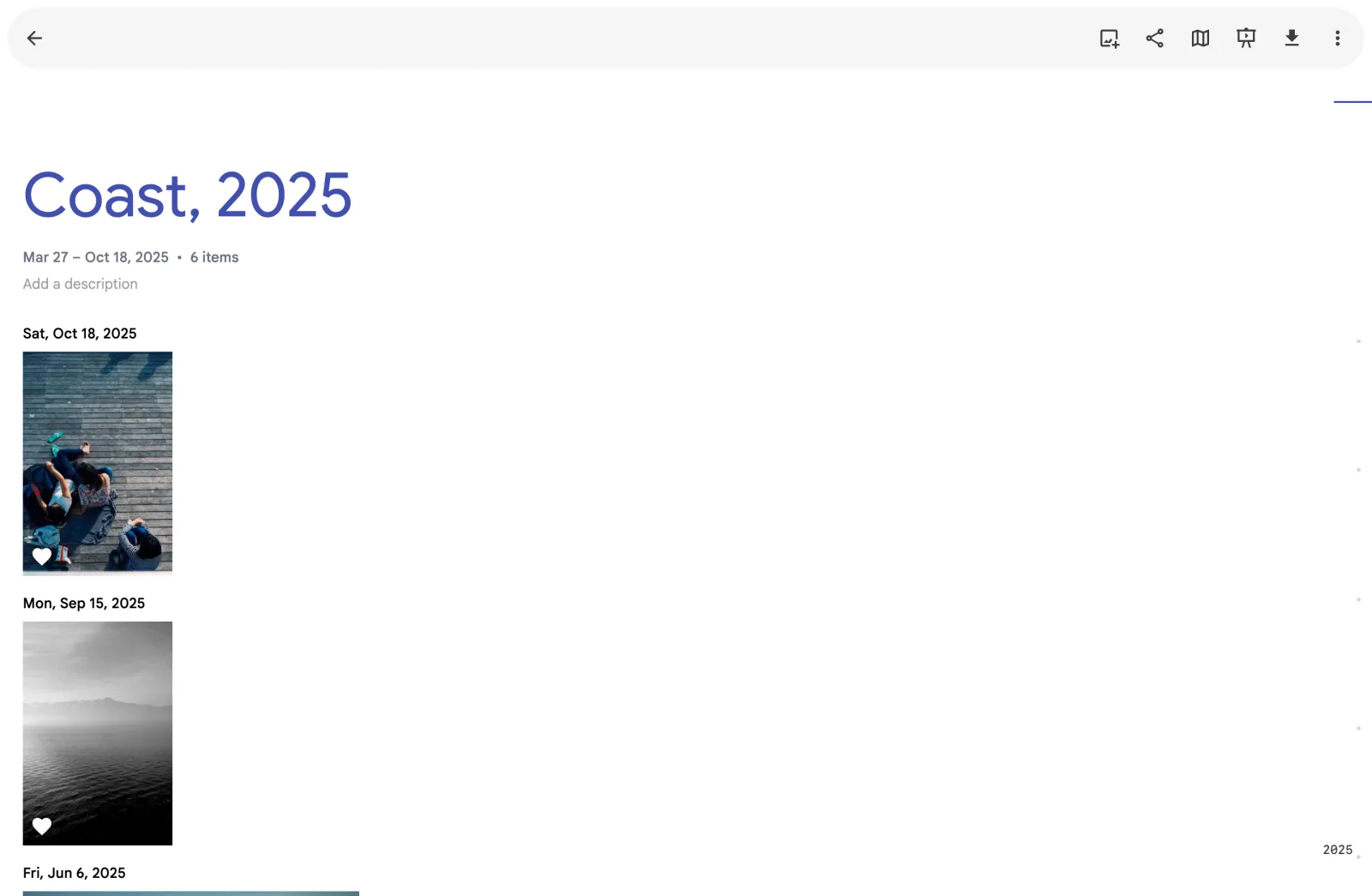
Albums are hand-made collections, and the sharing is where Immich quietly beats the cloud for a household. You can add another account on your instance and share an album with it, or send a link that opens in a browser with no account at all, with an optional expiry and password. Partner sharing is the better trick for two phones: your partner’s library appears in your timeline without the two libraries merging, so you both back up your own photos and both of you can see everything. Nobody is uploading into somebody else’s account.
The rest is a list of small mercies. Edits are non-destructive, so cropping and straightening never touch the original and can be undone later. There is a duplicate finder, an archive for the photos you want to keep but not look at, favourites, and a trash that holds deletions for a while before they go. v3 added a workflows preview for automating things like “when a photo is added to this album, do that”, which is the sort of feature you ignore until the day you need it.
And the phone. Photos go up in the background while it charges, from all albums or only the ones you choose, and the app can show a cloud icon on anything the server already has so you can see what is safe to remove from the device. That last part is the reason people stay.
How you use it
The honest version of living with Immich is that it mostly disappears.
Your phone charges overnight, the app wakes up, and whatever you photographed that day is on the server by morning. You stop thinking about backup, which is what a backup is supposed to achieve. The app is good enough that nobody else in the house needs to know it is not Google. They open it, they scroll, they find the photo.
You will search more than you expect. Not because the timeline is bad, but because the search answers questions that used to be work: which year was that trip, where is the photo of the boiler serial number, what did the garden look like before we cut the hedge back. The photo of the serial number is a real category, by the way. OCR earns its keep on exactly that sort of picture.
Sharing is the part that changes how a family uses photos. An album link goes to grandparents who will never install anything. A shared account means a partner sees the kids’ photos without asking you to send them. Neither of those needs a subscription, an app store account, or a company in the middle.
The maintenance is small but it is not zero. After a big import the job queue churns: thumbnails, metadata, face detection, the search index. First night with a real library, the machine will be busy for hours and warm to the touch. That is the work Google used to do on import, now happening on your desk while you sleep.
One caveat about everything above: I ran this on a spare box with fifty-three photographs on it, which tells you how the product behaves and nothing about how it scales. Treat performance claims about photo servers, mine included, as stories about somebody else’s library.
The first hour
Before you move forty thousand photos in, spend an hour learning where things are, because the interface is laid out by task rather than by file.
The left rail has five destinations. Photos is the timeline. Explore is search, with the same results arranged by people, places and things. Map is the geotagged subset. Sharing holds albums, shared links and partners. Library is everything else: favourites, albums, archive, the locked folder, trash, and utilities such as the duplicate finder and storage report.
The account you register first is the admin, and the admin creates the others under Administration → Users. Give your partner an account before you upload both phones, because partner sharing is set up from Account Settings → Partner Sharing, and it works better as a pair of grants than as a one-way window. Each of you keeps ownership of your own photos. Each of you can see the other’s. Neither of you has to hand over a password.
Sharing an album is the part worth practising early. Open any album, use the share control, and Immich offers two different things: access for another user on the instance, or a public link. The link is the one for people who will never install anything. It opens in a browser, shows the album, and can be given an expiry date and a password. Send it, then revoke it, and see how the page dies when you do. That is a five-minute exercise that makes the rest of the year easier.
Last thing: run one job by hand. Go to Administration → Job Queues and press start on something harmless, like metadata extraction. Watching the queue move tells you what a big import will feel like, and it is the page you will visit first when something looks slow.
What it needs
The documented floor is 6 GB of RAM and 2 CPU cores; the recommendation is 8 GB and 4 cores. On 4 GB it runs with machine learning switched off, which costs you faces and smart search, and those are half of why you came.
Since v3 the machine-learning container needs an x86-64-v2 CPU on amd64. That is most chips since about 2012 and it is not the same as requiring AVX, but it does rule out the thin client you were hoping to reuse. The last release that ran on x86-64-v1 was v2.7.5, it is unsupported, and it needs a matching server. On a virtual machine, check that the guest CPU type exposes v2 or the ML container exits at boot.
Postgres lives on local SSD, never on a network share, not NFS and not the NAS mount you already have mounted. The library lives on a filesystem with real Unix ownership and permissions: ext4, ZFS, XFS, Btrfs, APFS. Not NTFS, not exFAT.
Budget 10 to 20 percent on top of the originals for thumbnails and transcoded video. That is the documented figure for a real library. On my fifty-three photo test, thumbnails briefly outweighed the originals, because the files were already compressed web images. The overhead scales with how many files you have, not how big they are.
The install
Docker Compose is the documented path and there is no reason to be clever about it.
mkdir ./immich-app
cd ./immich-app
wget -O docker-compose.yml https://github.com/immich-app/immich/releases/latest/download/docker-compose.yml
wget -O .env https://github.com/immich-app/immich/releases/latest/download/example.env
Then edit .env. Five lines matter:
UPLOAD_LOCATION=/srv/immich/library
DB_DATA_LOCATION=/srv/immich/postgres
TZ=America/New_York
IMMICH_VERSION=v3
DB_PASSWORD=changeme
DB_PASSWORD wants letters and digits only. No punctuation, no spaces. IMMICH_VERSION is the release you pin to: v3 follows the major, a full tag like v3.3.6 pins exactly. Take the compose file from your release rather than copying one out of a blog post, because it ships pinned digests for postgres and valkey.
docker compose up -dNote the space. Immich requires the Compose v2 plugin and docker-compose is unsupported. If it fails with unknown shorthand flag: 'd' in -d, you are on a distro Docker package rather than Docker’s own repository, a known trap on Ubuntu 22.04. If it fails asking for Docker Engine v25 for start_interval, comment that line out in the database service.
The web app comes up on port 2283 and the first account you register is the admin. There is no default password. This is also the moment to decide whether Immich will be reachable from outside, because the phones will need an address that works away from the house.
Then the one setting that is annoying to change later. The storage template decides the folder names inside UPLOAD_LOCATION. Left off, Immich keeps its own default structure; turned on, you pick a pattern and the panel previews the path as you type.
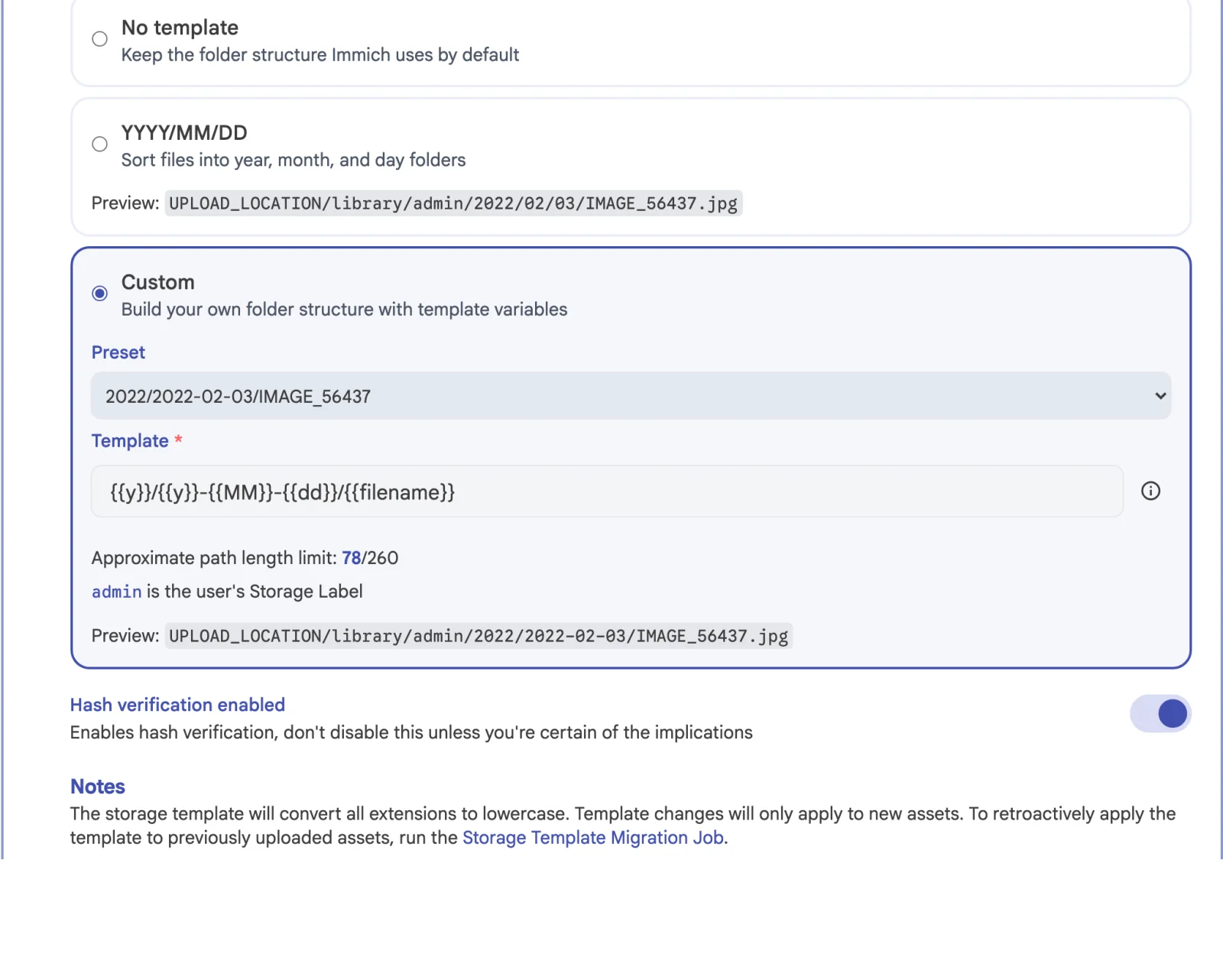
The default template, once the feature is on, is {{y}}/{{y}}-{{MM}}-{{dd}}/{{filename}}, which gives UPLOAD_LOCATION/library/<storage label>/2022/2022-02-03/IMAGE_56437.jpg. The storage label is per user, so two people uploading the same filename never collide, and the panel counts the path length against the roughly 260 character limit.
Two behaviours there catch people out. Template changes only apply to new assets, so existing files stay put until you run the Storage Template Migration job. And file extensions are lowercased, so IMG_1234.JPG lands as img_1234.jpg.
The migration job works, but it walks the library and moves every file you own. On an empty library it takes seconds. On a mature one it is the longest job Immich runs. Do it on day zero.
If you want album names in the path, {{album}} gives you the name of the album an asset belongs to, taking the most recently created one when it is in several. Handlebars escaping applies, so & becomes & unless you wrap it in a third set of braces as {{{album}}}.
Getting the photos in
Point the phone app at http://<server>:2283, or at your public hostname, and turn on background backup. All albums or a selection. If you want to see what has synced, turn on the storage indicator in the photo grid.
For Google Photos, the project points at immich-go, a community tool rather than an official one:
immich-go upload from-google-photos --server=http://your-ip:2283 --api-key=*** /path/to/takeout-*.zipIt matches the takeout JSON sidecars to the pictures, rebuilds albums, keeps descriptions and locations, and stacks RAW+JPEG pairs. Its own readme calls itself an early version and tells you to keep a copy of the files. That is fair advice for any bulk import. Upload, check a handful of albums, and cancel the subscription after that, not before.
If you already have a careful archive on a NAS with its own folders and its own backup, Immich can index it in place as an external library instead. Nothing is copied, but the trade is real: metadata you add lives only in the database, moving a file inside the library makes it look like a new asset, and deleting it sends the entry to the trash for 30 days and then out of the catalogue. Most people run both: uploads from phones, external library for the archive.
Keeping it alive
A database dump contains no photographs. A copy of UPLOAD_LOCATION without the database contains no idea what any of the files are. You need both, taken close enough together that they describe the same library.
Immich dumps its own database nightly at 02:00 and keeps 14, in UPLOAD_LOCATION/backups. Both numbers are editable in Administration → Settings → Database Dump Settings.
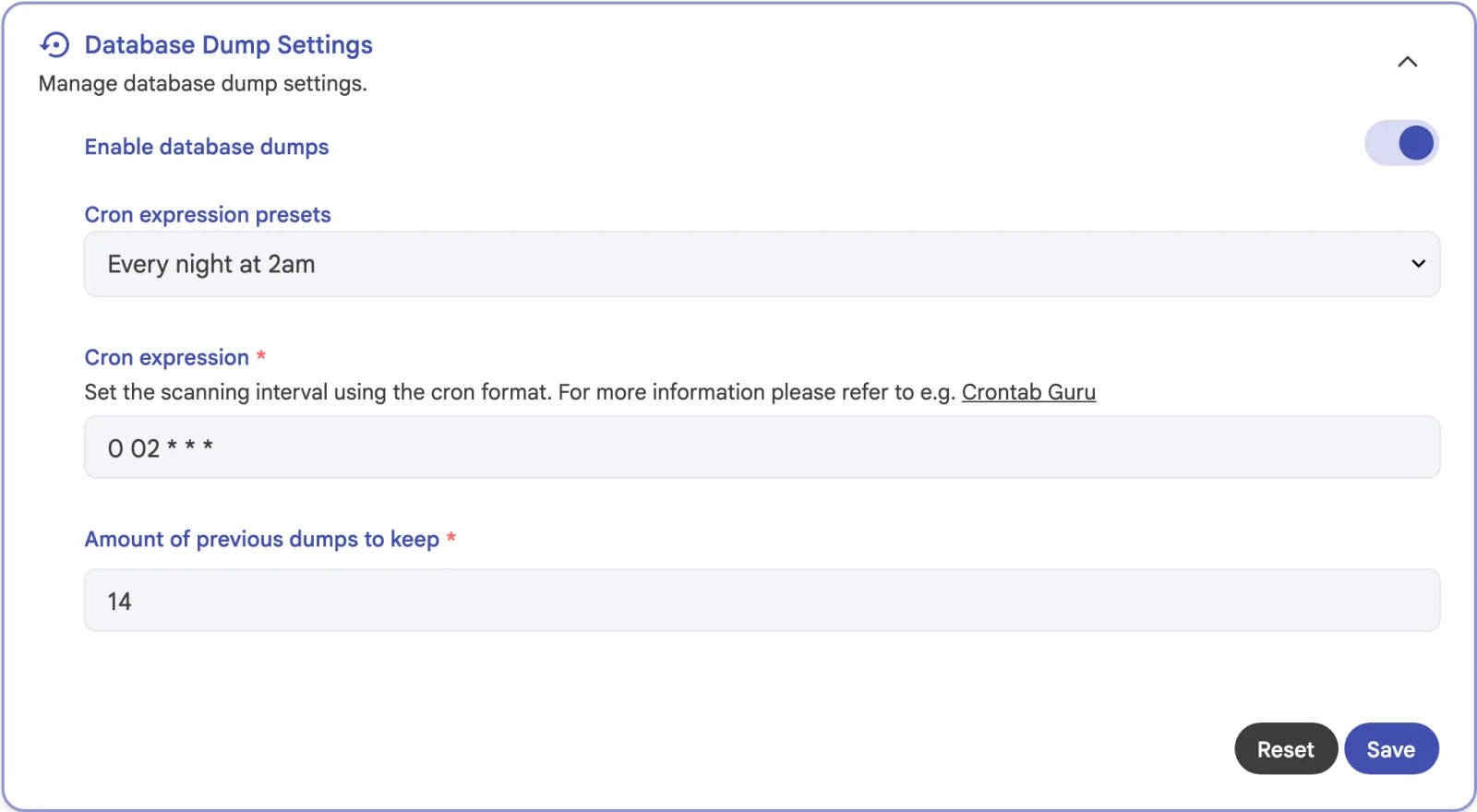
UPLOAD_LOCATION/backups, inside the folder they are meant to protect.That dump covers a corrupted database on a healthy disk. It is not enough on its own, because it lives inside the folder you are protecting. The project’s template script dumps the database into UPLOAD_LOCATION/database-backup and hands the whole folder to Borg, skipping thumbs/ and encoded-video/ because both can be regenerated.
docker exec -t immich_postgres pg_dump --clean --if-exists \
  --dbname=immich --username=postgres > "$UPLOAD_LOCATION"/database-backup/immich-database.sql

borg create "$BACKUP_PATH/immich-borg::{now}" "$UPLOAD_LOCATION" \
  --exclude "$UPLOAD_LOCATION"/thumbs/ --exclude "$UPLOAD_LOCATION"/encoded-video/
borg prune --keep-weekly=4 --keep-monthly=3 "$BACKUP_PATH"/immich-borg
Restoring works from a running instance, where it replaces the database after taking a restore point, or from the onboarding screen on a fresh one, which wants backups, library, upload, profile, thumbs and encoded-video copied in first and then checks what it can read. The only test that proves any of it is a restore onto a second machine. Until you have done that once, you have a backup plan.
Upgrades are docker compose pull && docker compose up -d, and the phones go first: the app is compatible with the current and previous major, the server only with its own. Downgrades are not supported, not even within a minor. Read the notes before a major, and check the changelog label for breaking changes, because v3 removed the legacy mobile timeline, dropped pgvecto.rs for VectorChord, turned off insecure OAuth by default and changed the API error shape.
For access from outside, Immich will not run under a sub-path, so give it the root of a hostname. The proxy forwards Host, X-Real-IP, X-Forwarded-Proto and X-Forwarded-For, allows uploads far bigger than the default, and leaves buffering off. Route /.well-known/immich as well if you use an HTTP-01 challenge.
immich.example.org {
  reverse_proxy http://10.0.0.10:2283
}
Hardware transcoding is optional and the settings panel is honest about it: faster, but it may reduce quality at the same bitrate, and the documentation adds that the files come out significantly larger. On a box where video playback is the bottleneck it is worth the two changes it takes. On most, leave it alone.
What you get at the end
An evening of setup buys a library that keeps working when the company hosting it changes its mind. The subscription was never really buying storage. It buys someone else’s computer and a promise that it stays switched on, and that promise is worth less than it was five years ago.
What you get instead is a timeline that never asks you to file anything, a search that knows what is in the picture, a map of everywhere you have been, and a phone app good enough that nobody in the house notices the switch. The files sit in folders with your dates in the names, which is the part that matters on the day you leave.
The evening is the price. The storage template and the database are the two decisions that make it stick.